Monday, March 17, 2008

GARMONO #2

Ok, I promised several blog entries about GARMONO. However, for the last couple of weeks I've been busy fixing some issues with the WinForms DataGrid, which I will talk about in another entry. Today, let us talk about GARMONO and how it can help us automatically create Mono packages for Maemo.

One of the problems I ran into when I created the first set of Mono packages for Maemo was that it was a hard task with lots of procedures. A few weeks ago, during hack week, we decide to automate the process using GARMONO (when I say "we" I mean, Torello Querci, Jae Stutzman, and myself) and it has proven to be a very good idea. For those of you that may not understand what GARMONO is, think of it as a build-script that works within scratchbox to automate some of the more tedious tasks that would have to be done by hand or with other scripts. GARMONO provides a single "make" command that takes care of downloading mono src and creating deb files, etc. However GARMONO alone will not produce maemo packages, this is where Scratchbox comes in.

Maemo uses Scratchbox for cross-compilation. Scratchbox provides a build environment with all of the maemo provided dependencies so that developers can produce Maemo binaries. We need to use Scratchbox to create the platform (ARM) specific things that the mono runtime requires. Scratchbox uses QEMU for ARM emulation, the problem is that some ARM syscalls (242, 264, 299) are not yet implemented in QEMU. These missing syscalls can cause problems in MCS, making it impossible to compile assemblies for ARM. The solution is to create a Scratchbox devkit. It provides a set of tools that can be executed on the host instead of target device and thus reduces the time needed to build packages.

Instead of providing the instructions on how to build the devkit in this blog, I will just point you to the wiki entry that we created on the Mono Wiki:

Please know that in order for you to execute these instructions you must first to have Scratchbox and Maemo SDK installed, instructions can be found here.

Again, I would like to credit Jae Stutzman and Torello Querci for their support of the work in GARMONO and Maemo.

Monday, February 25, 2008

GARMONO #1

One of hard things of cross-platform development with WinForms is that you always need to test in both Linux and Windows. My second development environment is Cygwin running on Windows but when I need to travel somewhere, I also need to have this Cygwin environment available on my Windows Virtual Machine.

Andreia made a very good tutorial about how to create a Mono+Cygwin Installation and Compilation, and I've used it for years. However, sometimes I lose my environment or have problems when trying to compile a new Mono version and I need to install it over and over.

When I noticed that Gnome had GARNOME (a build tool that allows users to build the GNOME Desktop), I thought that it would be nice if we had one tool like this not only to build Mono but also to install some dependencies on environments like Cygwin. That is how GARMONO was born. GARMONO is based on GAR software and if you need moreinformation about it a good place is to check is this article in Linux Journal.

We can use GARMONO to build Mono on Cygwin, Linux, Maemo and also use it to generate packages (.deb for Nokia N810). So, I will start a series of blog entries about this, but today let us talk about Cygwin.

Compiling and installing Mono on Cygwin can be a hard task but I believe it is much easier using GARMONO. First, you must get your Cygwin environment installed and working. Also, make sure that you have installed automake, bison, gcc, gdb and libtool. These packages are necessary if you want to build anything.

So, now let us download and unpack GARMONO. For this, log into your Cygwin environment and type:

# wget http://anonsvn.mono-project.com/viewcvs/trunk/release/garmono.tar.gz
# tar -xzvf garmono.tar.gz
# cd garmono

Now we just need to build Mono:

# make cygwin/build

And that is all! GARMONO will download and install all dependencies and later will download and install Mono in your ~/mono. It will also create a bash script with all environment vars needed to use Mono. To call this script just type:

# source ~/mono/bin/monoenv

You could also put this line in your .profile or .bash_profile script.

Over the next several blog entries, I will give more tips about GARMONO and how use it in Maemo and Linux environments.

Sunday, July 8, 2007

Pan American Sports

In a joke that made Brazilians cringe and forced the U.S. Olympic Committee to apologize, a USOC worker scrawled "Welcome to the Congo!" on a board in the organization's Rio de Janeiro media center for the Pan American Games.

Check this link for more details.


It is just one of reasons why some people hate USA, when you show more respect to the people maybe you don't need to worry about bombs, terrorists or fly.

BTW, I don't see any problems on "Welcome to the Congo", I am sure that Congo theres a very nice people and no problem to be compared with them, in my opinion is better than "Welcome to New York/America/Any USA place, let us see if you don't have bomb in your bag".

Tuesday, July 3, 2007

Installing Moonlight and Desklets

Johan Hernandez has published a nice tutorial article explaining how to install Desklets from source, has based on Ubuntu but can be applied to any other distributions.

In Spanish: Moonlight y Desklets en Ubuntu

Friday, June 29, 2007

More about Desklets

It is not possible to see the clock and calendar in action in the other video, so this video is just to show that!!


I will try don't make more posts about this ;-)

More and more about hack week

I am here just to say that you don't need to give us a vote but we will be happy if you take a look at our hack week project page "Implement Desklets using Moonlight" and see our videos and our interesting screen shots, we will also happy if you give us some bad comments and critics like: "theres a project XXX that already do it" or "why I supposed to be used that" and "you imitate Vista||OSX||gDesklets||GooogleGadgets". Fell free to write any bad comments you want, we will appreciate it and "don't" I said "don't" give us any vote :-)


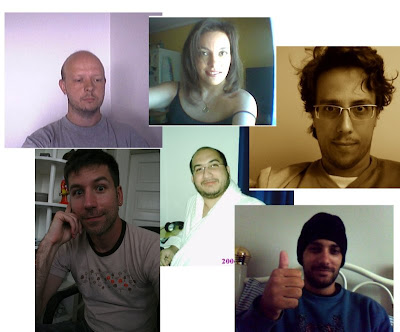
On next picture you can see all amazing people that made this amazing things, well, not all, I still need one picture from Miguel but I am sure that everybody know him :)


Grendel, Andreia, Kumpera, Toshok, me and Fumasa


So, if you don't like Desklets but you think that developers is most beautiful developers around the world them you can give us a vote.

Btw, I would like to say that it is the first English post that I write without any help or corrector, so just try to understand it... or not.

Wednesday, June 27, 2007

Hack Week , Desklets

Too much time since my last post, it is really hard for me write text, I prefer speak or write code lines. I have been working in the past few weeks on Moonlight (Free implementation of Silverlight), and seeing as Moonlight is a perfect way to get things like OSX Dashboard or Google Gadgets. This week all of us working at Novell are free to work on any pet project we want, so I write my idea on "Ideas Wiki" and other guys (Andreia, Fumasa, Marek, Rodrigo and Miguel) join with me in this funny project.


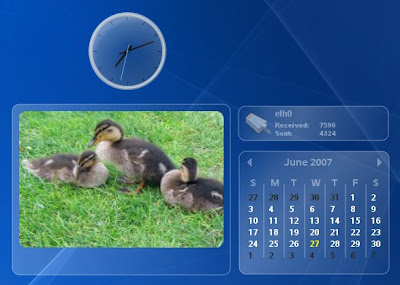
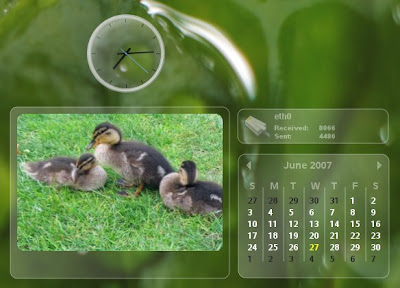
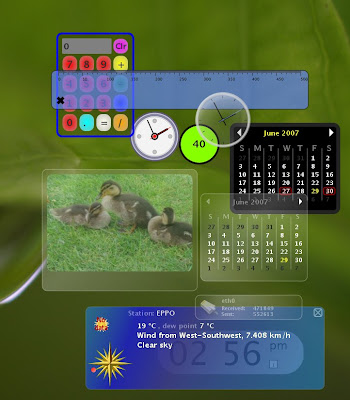
The YouTube video resolution is not so good then let me show you some nice shots with better resolution:


De Desklets


De Desklets


I can't live without these sweet things anymore ;-)